console是什么
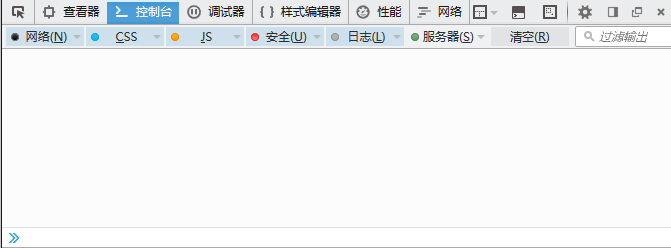
现代的浏览器都自带功能非常完善且好用的web开发者工具,如firefox和chrome,或者firebug工具,提供element查看器、Console控制台、调试器、性能和网络等功能。而Console功能面板可以用于显示JS和DOM对象信息,如错误信息、调试信息、js和dom对象的信息等。并且提供了一个JS对象console,使用该对象api, 可以输出信息到Console面板中。打开该功能面板可以使用快捷键Ctrl+Shift+k(firefox)或F12(chrome、ie),下文以我常用的firefox浏览器为例介绍总结console。
console api
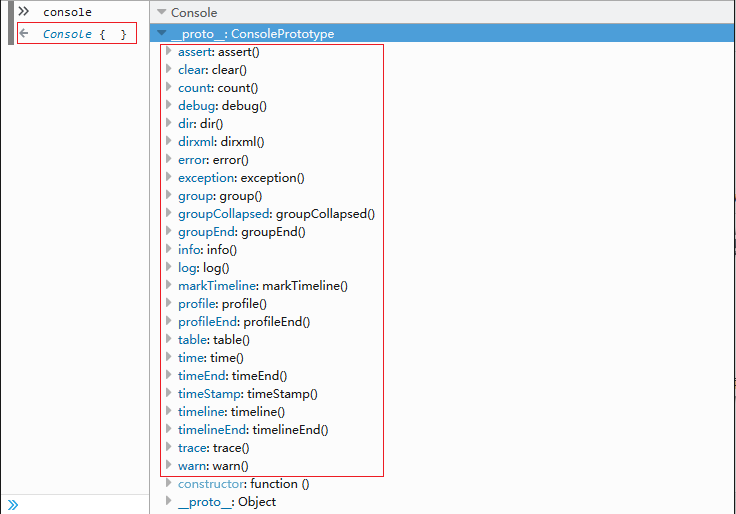
在控制台中输入console,会显示该对象,点击后右侧显示该对象的信息。
console.log/debug
这个方法是我们见到最多和使用最多的方法,简单输出信息到Console面板,支持多个参数。
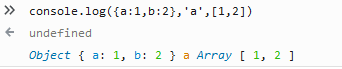
log方法第一个参数支持字符串替换模式:
- %s 代替字符串
- %d 代替整数
- %f 代替浮点数
- %o 代替Object
1 | console.log('%s,this is integer:%d,this is Object:%o','Hello',100,{name:'ice'}) // Hello,this is integer:100,this is Object: Object { name: "ice" } |
console.info,warn,error/exception
这4种方法与console.log方法一样,只是显示的图标和文字颜色不一样。
console.assert
断言方法,类似单元测试中的断言,当第一个参数表达式为false时,显示第二个参数的信息。
1 | console.assert(0==true,'0 not equal true') // 0 not equal true |
console.clear
清除Console面板所有信息。
console.count
该方法用于统计代码执行次数,可选参数为提示信息。
1 | function count(){console.count('times')}; count(); count(); // times:1 // times:2 |
console.dir
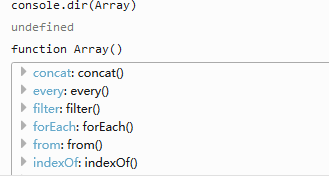
该方法显示对象的属性、方法等信息。
console.dirxml
该方法用来显示节点的内部html/xml。
1 | console.dirxml(document.getElementById('id')) |
console.group/groupCollapsed, groupEnd
进行分组显示,其中group和groupCollapsed,只不过后者的信息是折叠的;使用groupEnd结束分组。
1 | console.group('group #one'); console.log('line #one') console.log('line #two') console.groupEnd() |
console.profile
该方法用于分析程序的性能,调用console.profileEnd()结束性能分析。
console.table
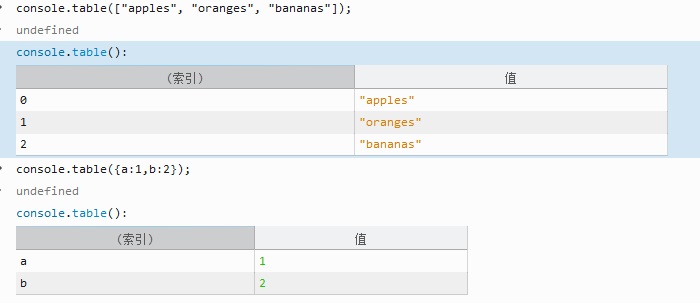
该方法函数接受数组或对象作为参数,以table的形式显示信息。其中若参数为数组索引列为数组下标,值列为数组的值;若参数为对象,索引列即为key。
console.time/console.timeEnd
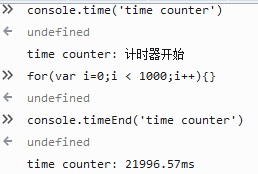
计时方法,用于显示代码的运行时间。
console.trace
跟踪函数的调用栈。
低版本ie兼容
虽然console是个令人激动的功能,但ie9以下的浏览器会报错,为了能使用这个API也能兼容旧浏览器,可添加以下的代码进行兼容:
1 | (function(){ var noop = function(){}, methods = 'assert clear count debug dir dirxml error exception group groupCollapsed groupEnd info log markTimeline profile profileEnd table time time timeEnd timeStamp trace warn'.split(' '), len = methods.length, method; window.console = window.console || {}; while(len--) { method = methods[len]; if(!window.console[method]) window.console[method] = noop; } })() |